


Mans.io Manuals — Chrome and Firefox extension Mans.io Manuals — Chrome and Firefox extension

Mans.io Manuals icon

Chrome and Firefox extension

Mans.io Manuals

Quick access to My devices and My bookmarks on Mans.io.

Extension ID: oaejkmoheholhoijclipfbfniojhmcca. Privacy Policy

Use case

Key features

Quick access to My devices and My bookmarks on Mans.io.

Key features

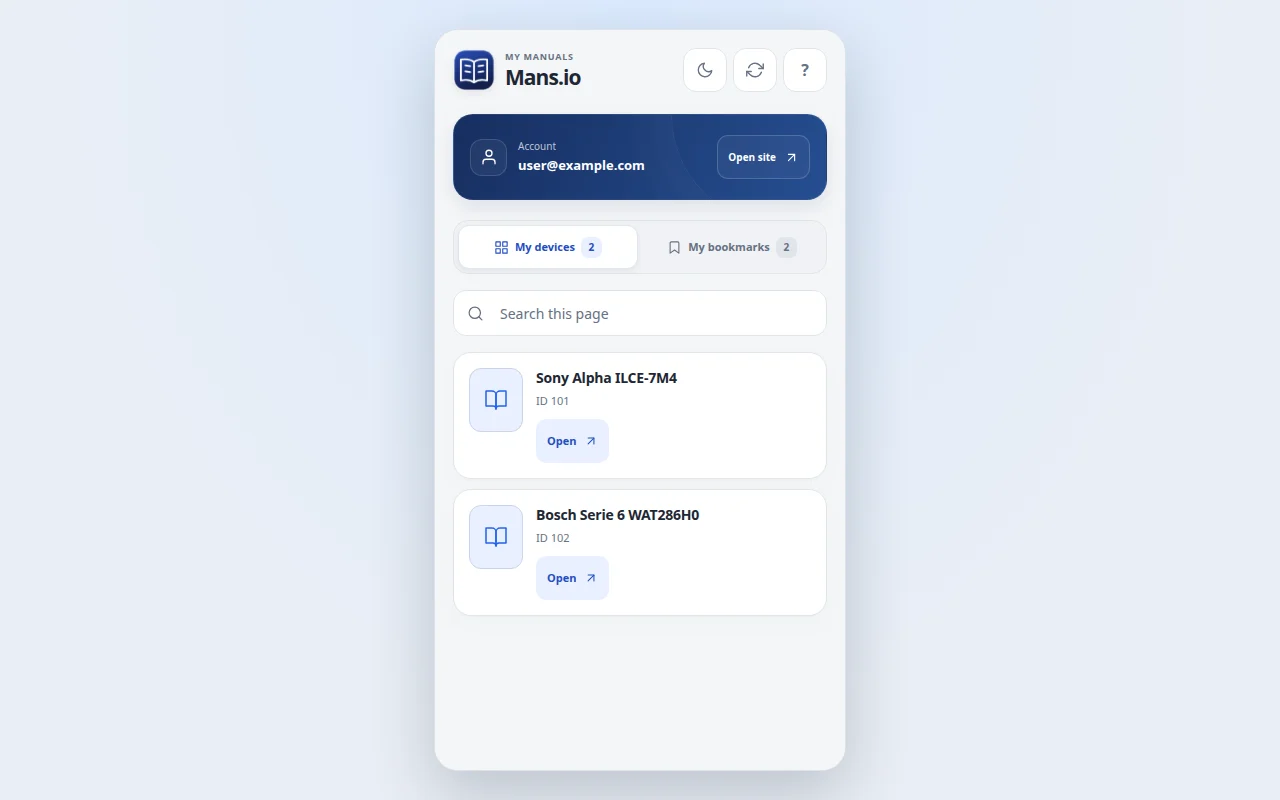
view My devices from the browser toolbar; view My bookmarks and saved manual pages; open a device page or manual page in one click; works with the existing Mans.io account session; localized interface with English as the default language; support for Chrome and Firefox builds; compact design made for quick lookup while browsing. Search devices and bookmarks on the current page and switch between light and dark themes. Existing items stay visible if a refresh fails, and delayed requests cannot overwrite a newer page or tab.

Account

Lists refresh from your site account when you open the extension, switch sections or press Refresh. Manage devices and bookmarks on the site. Open Mans.io, sign in to your account, then return here and refresh the list.

Watch the video

  1. Sign in to your Mans.io account in the browser.
  2. Click the Mans.io Manuals icon in the toolbar.
  3. Open My devices or My bookmarks.
  4. Click an item to open the device or manual page on Mans.io.
Watch the video

Interface language in this recording: EN

Version: 0.3.1

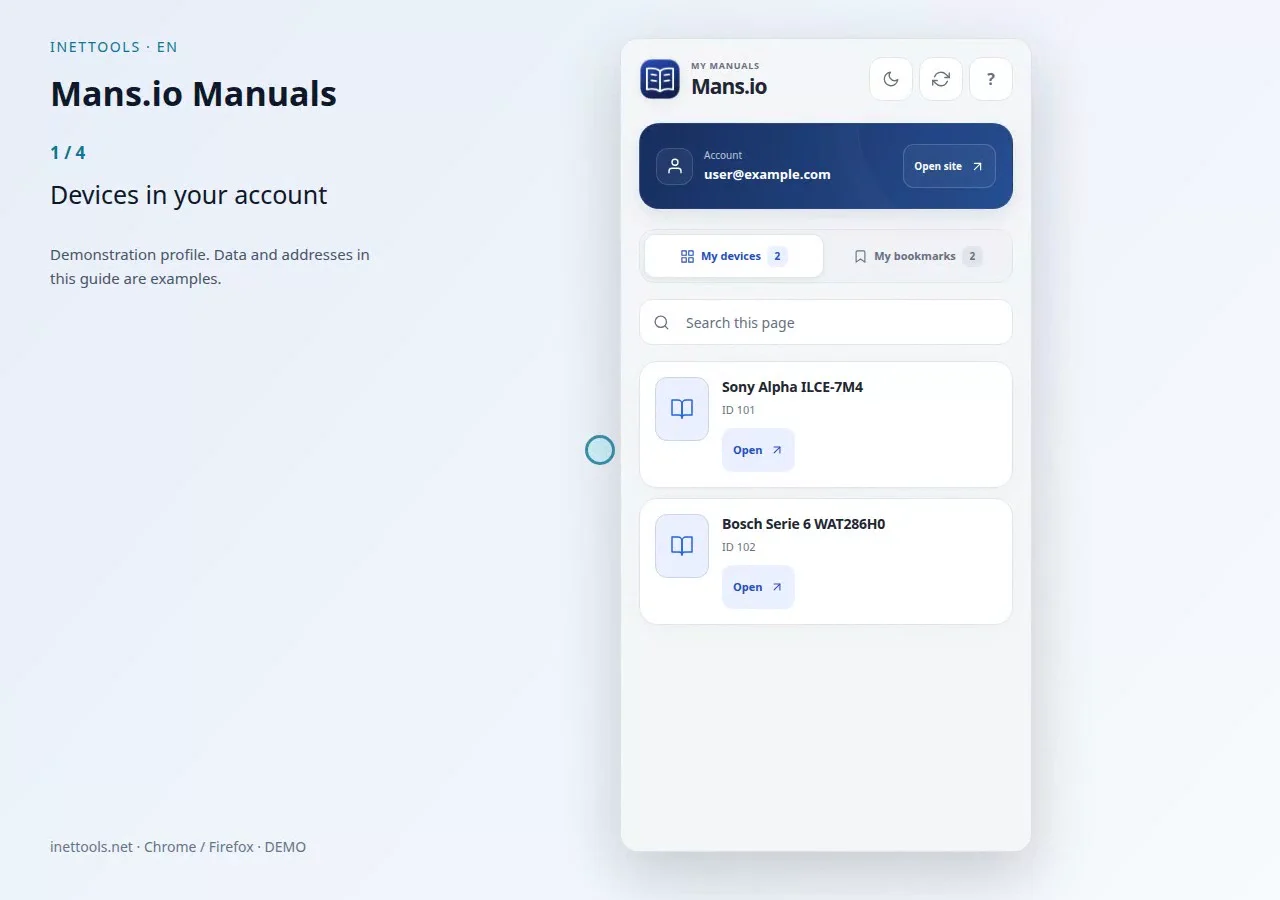
  1. Devices in your account
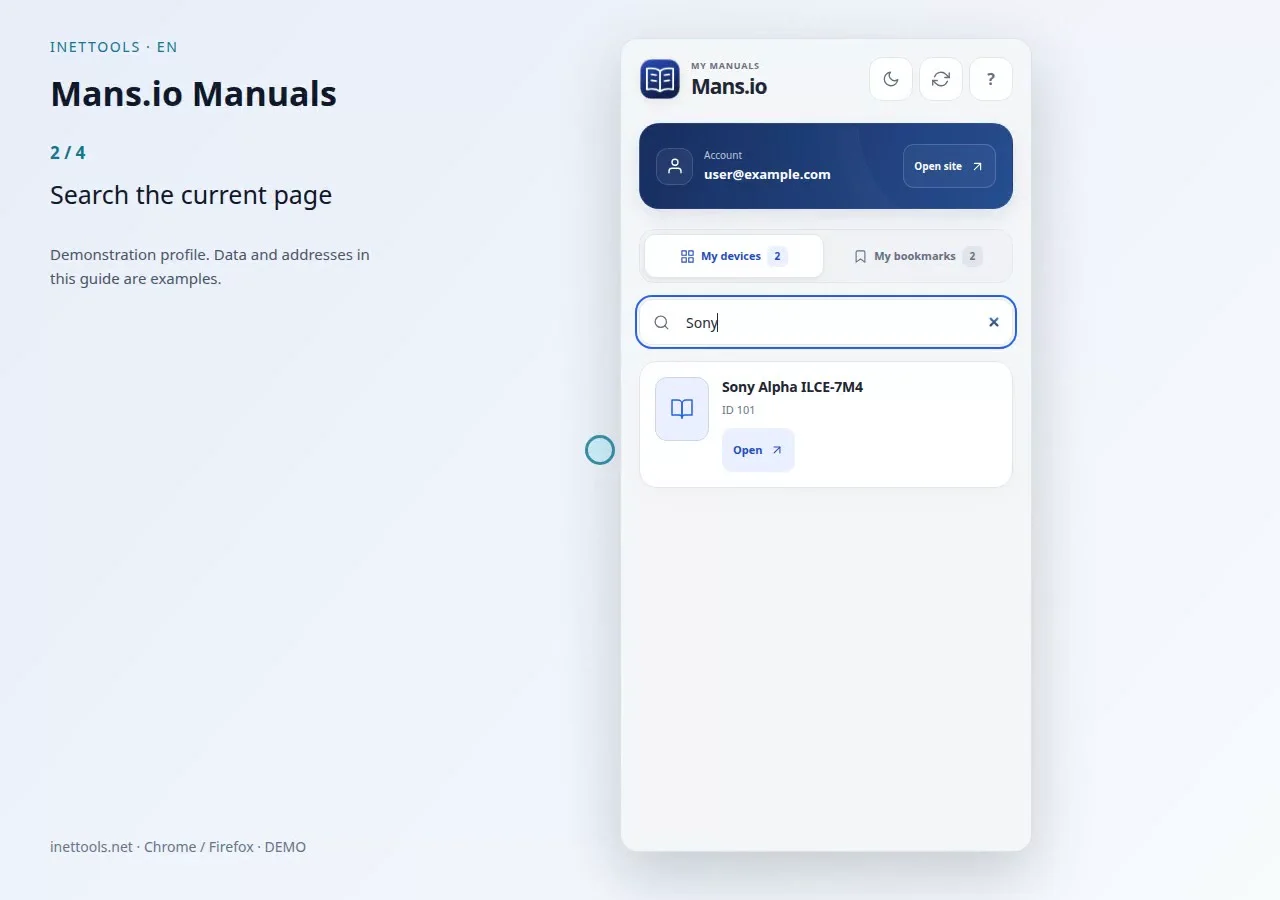
  2. Search the current page
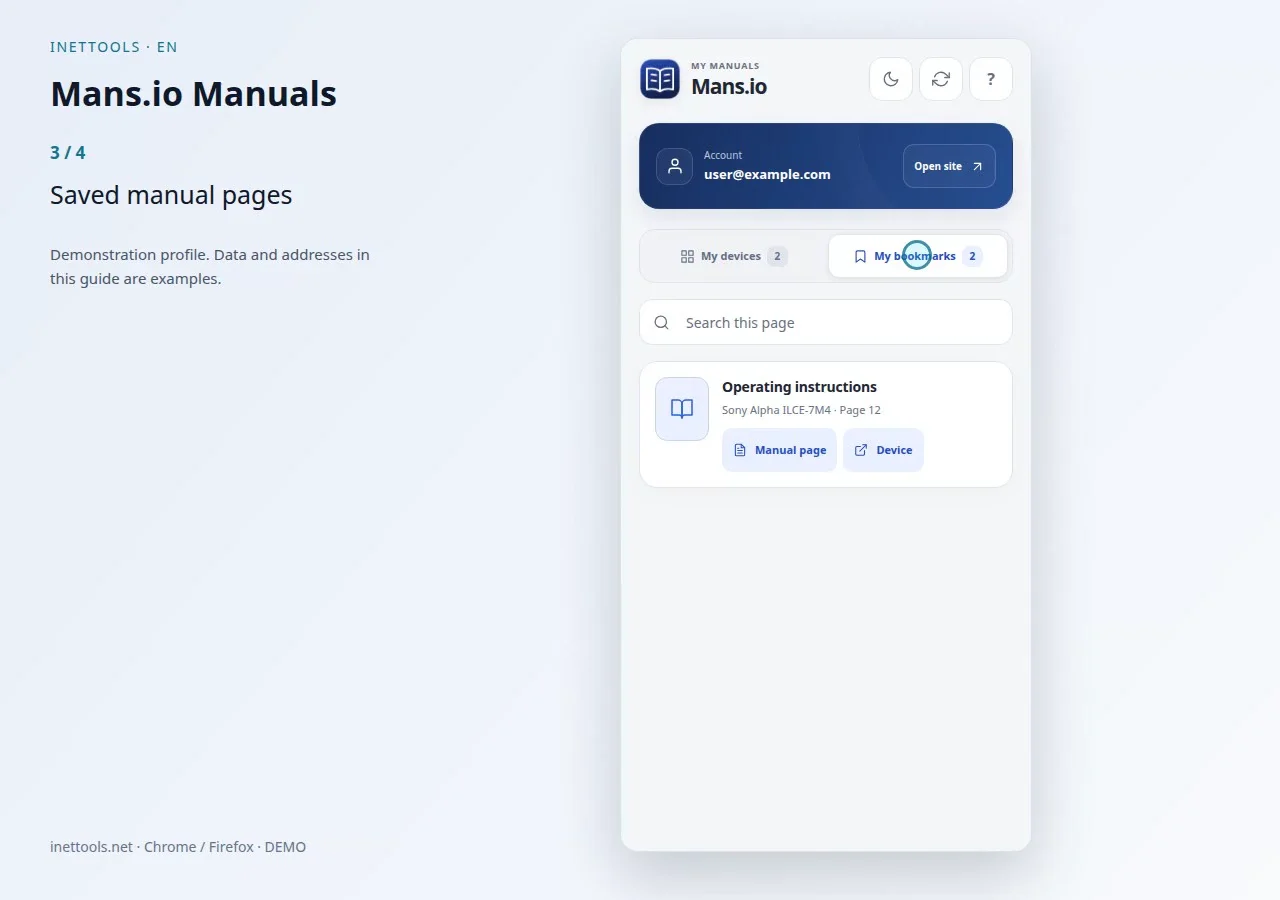
  3. Saved manual pages
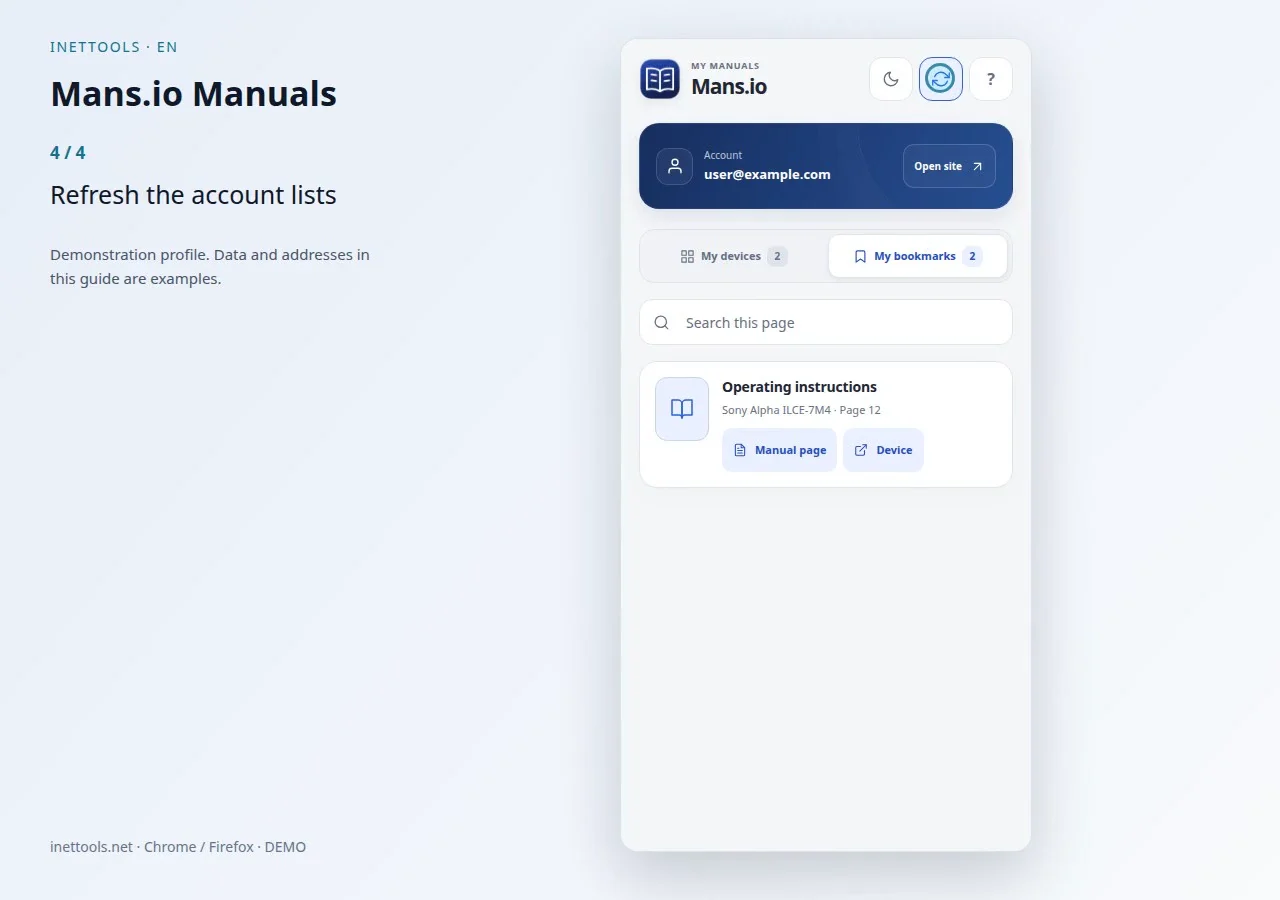
  4. Refresh the account lists

Extension screenshots

Extension screenshots

Frames from the current guide, recorded using a demonstration profile.

Mans.io Manuals — Devices in your account
Devices in your account
Mans.io Manuals — Search the current page
Search the current page
Mans.io Manuals — Saved manual pages
Saved manual pages
Mans.io Manuals — Refresh the account lists
Refresh the account lists
Mans.io Manuals — Mans.io Manuals
Mans.io Manuals
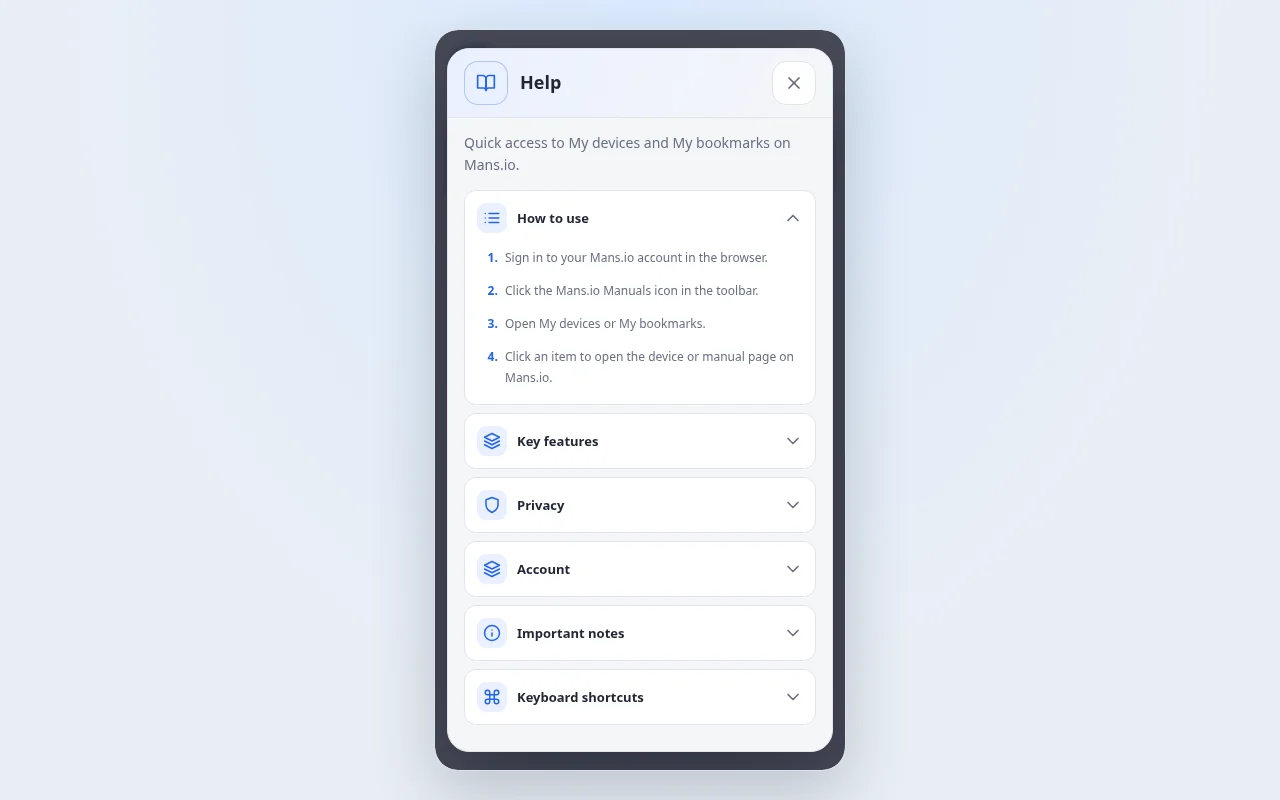
Mans.io Manuals — Help
Help

Step-by-step instructions · Mans.io Manuals

Quick access to My devices and My bookmarks on Mans.io.

How to use

  1. Sign in to your Mans.io account in the browser.
  2. Click the Mans.io Manuals icon in the toolbar.
  3. Open My devices or My bookmarks.
  4. Click an item to open the device or manual page on Mans.io.

Key features

  • view My devices from the browser toolbar;
  • view My bookmarks and saved manual pages;
  • open a device page or manual page in one click;
  • works with the existing Mans.io account session;
  • localized interface with English as the default language;
  • support for Chrome and Firefox builds;
  • compact design made for quick lookup while browsing.
  • Search devices and bookmarks on the current page and switch between light and dark themes. Existing items stay visible if a refresh fails, and delayed requests cannot overwrite a newer page or tab.

Privacy

The extension requests data only from Mans.io extension API endpoints and uses your existing browser session cookies. It does not ask for a separate password and does not send account data to third-party services.

Account

Lists refresh from your site account when you open the extension, switch sections or press Refresh. Manage devices and bookmarks on the site.

Open Mans.io, sign in to your account, then return here and refresh the list.

Important notes

Open Mans.io, sign in to your account, then return here and refresh the list.

Search this page
Important

Privacy

The extension requests data only from Mans.io extension API endpoints and uses your existing browser session cookies. It does not ask for a separate password and does not send account data to third-party services.

Important notes

Open Mans.io, sign in to your account, then return here and refresh the list. Search this page

Privacy Policy

Mans.io Manuals — Chrome / Firefox

Quick access to My devices and My bookmarks on Mans.io.

Mans.io Manuals — Chrome and Firefox extension

Quick access to My devices and My bookmarks on Mans.io.